Pin badges have hardware on the back, so a dense display can create a field of small pressure points. If the main compartment is packed tightly, those backs can press into books, pouches, or even the display surface itself.
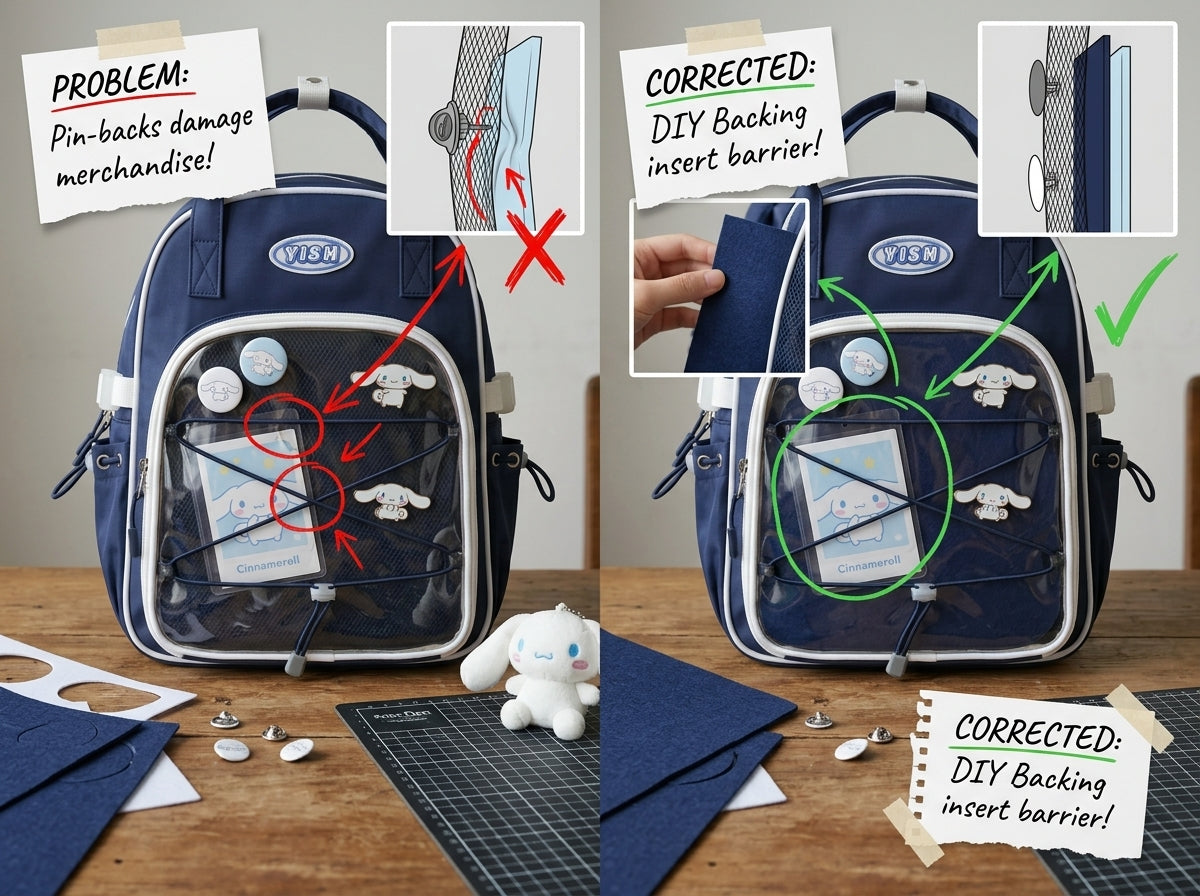
Use a dedicated backing or insert
A proper insert creates a controlled layer between the visible pins and the rest of the bag. Secure pin backs on the reverse side and make sure every sharp point is fully covered.
Keep the main compartment from pushing forward
Overpacking is the most common cause of pressure. If the front of the backpack becomes rounded when zipped, remove or rearrange items.
Put hard items toward your back
Books, tablets, power banks, and cases should sit closest to the wearer. Use softer pouches closer to the display side.
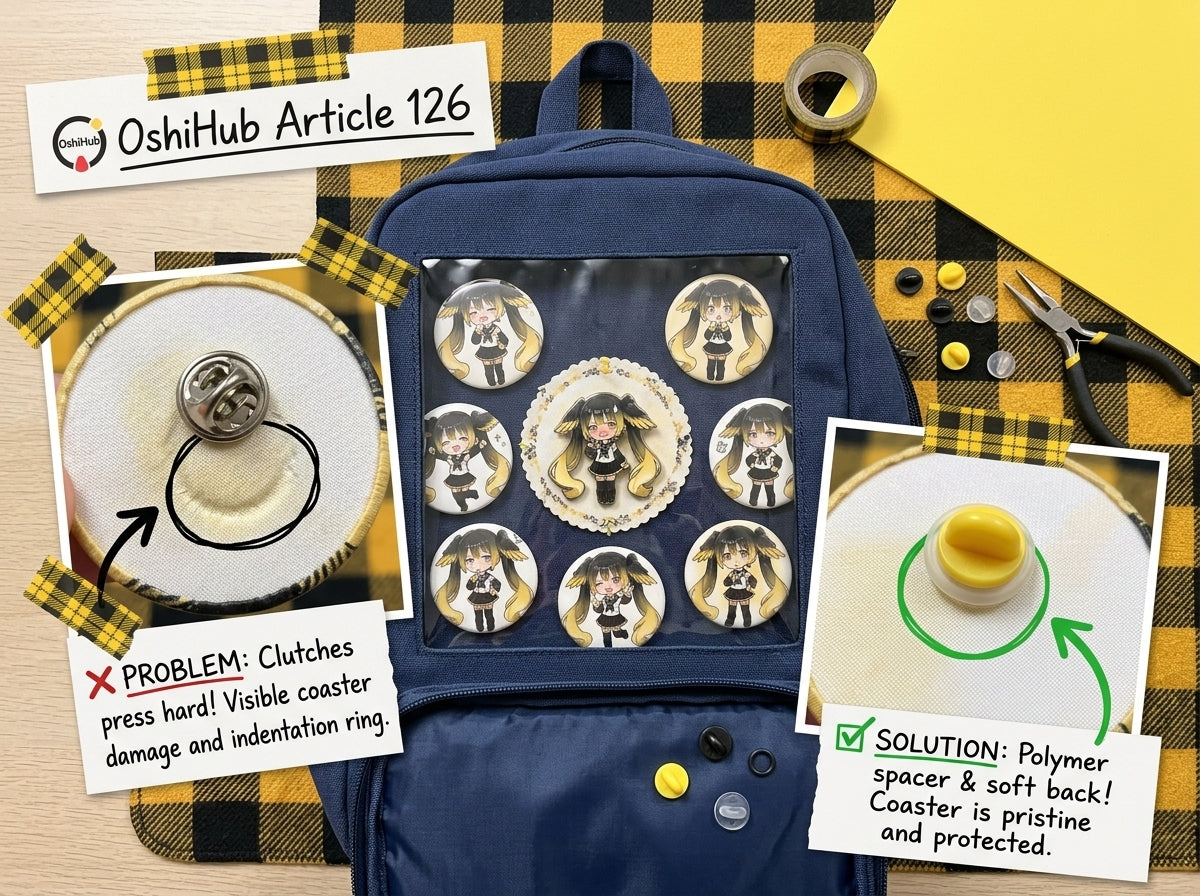
Avoid bulky pin backs in one cluster
If many large fasteners sit directly behind one small area, the backing can become uneven. Spread the layout or choose lower-profile secure backs where appropriate for your pins.
Inspect after rebuilding the display
Turn the insert over before reinstalling it. Look for uncapped points, loose backs, stacked hardware, and anything that protrudes unusually far.
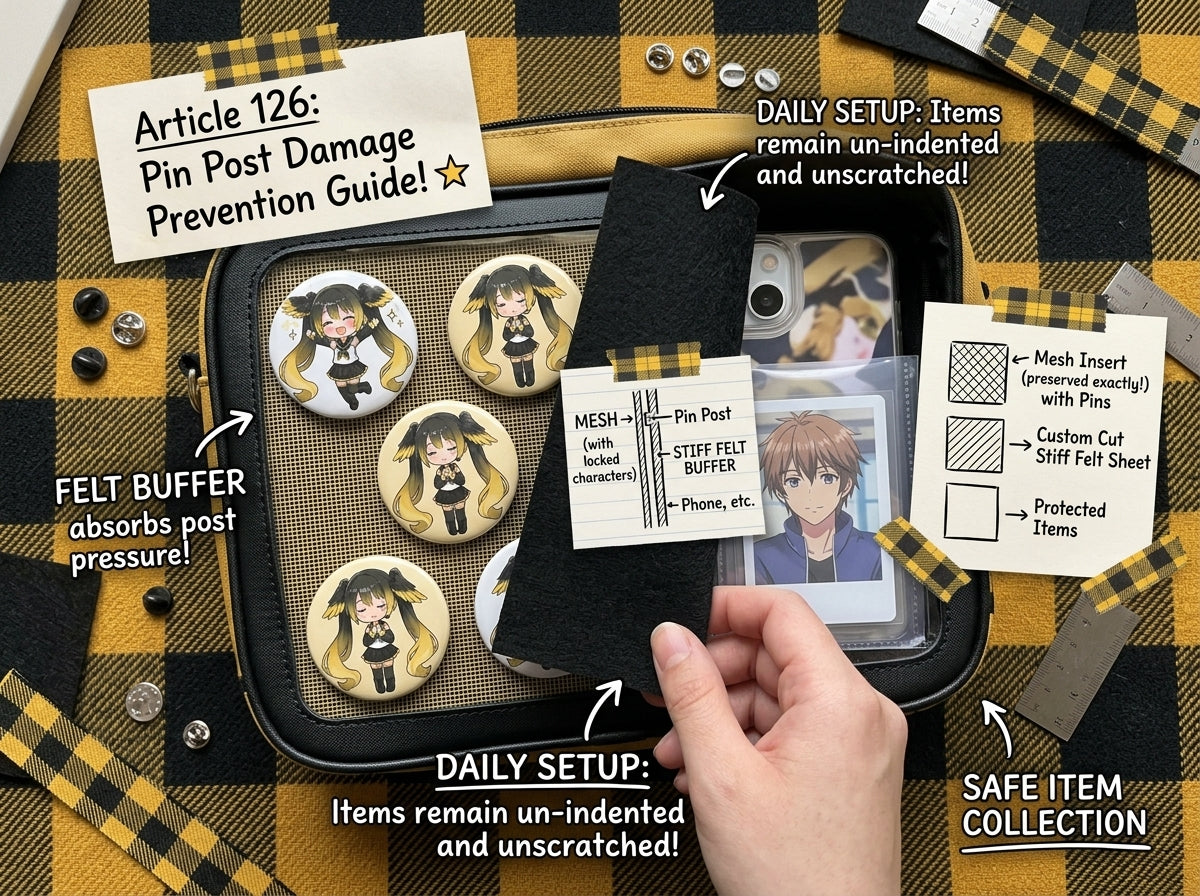
Test with your real daily load
Put the actual books and essentials you normally carry into the backpack. Close it and gently press the front and back panels. If you can feel hard objects meeting pin hardware, reorganize before using the bag.
For general pin attachment practices, read How to Attach Pins to an Ita Bag Without Damaging Your Merch.
Bottom line
The display and storage compartments need a little breathing room between them. Secure the pin hardware, use a stable backing layer, and avoid stuffing the main compartment until it presses into the reverse side of the display.
If you are choosing a backpack for a pin-heavy collection, browse OshiHub Ita Backpacks and compare backing systems, body depth, and storage separation before buying.