Ita Bag Mesh Insert Guide: What It Is, How It Works & How to Use It
An ita bag mesh insert is a removable display backing that sits behind the clear window. It gives pins and other merch a stable surface to attach to, lets you decorate outside the bag, and makes complete theme swaps easier without repeatedly piercing the bag body.
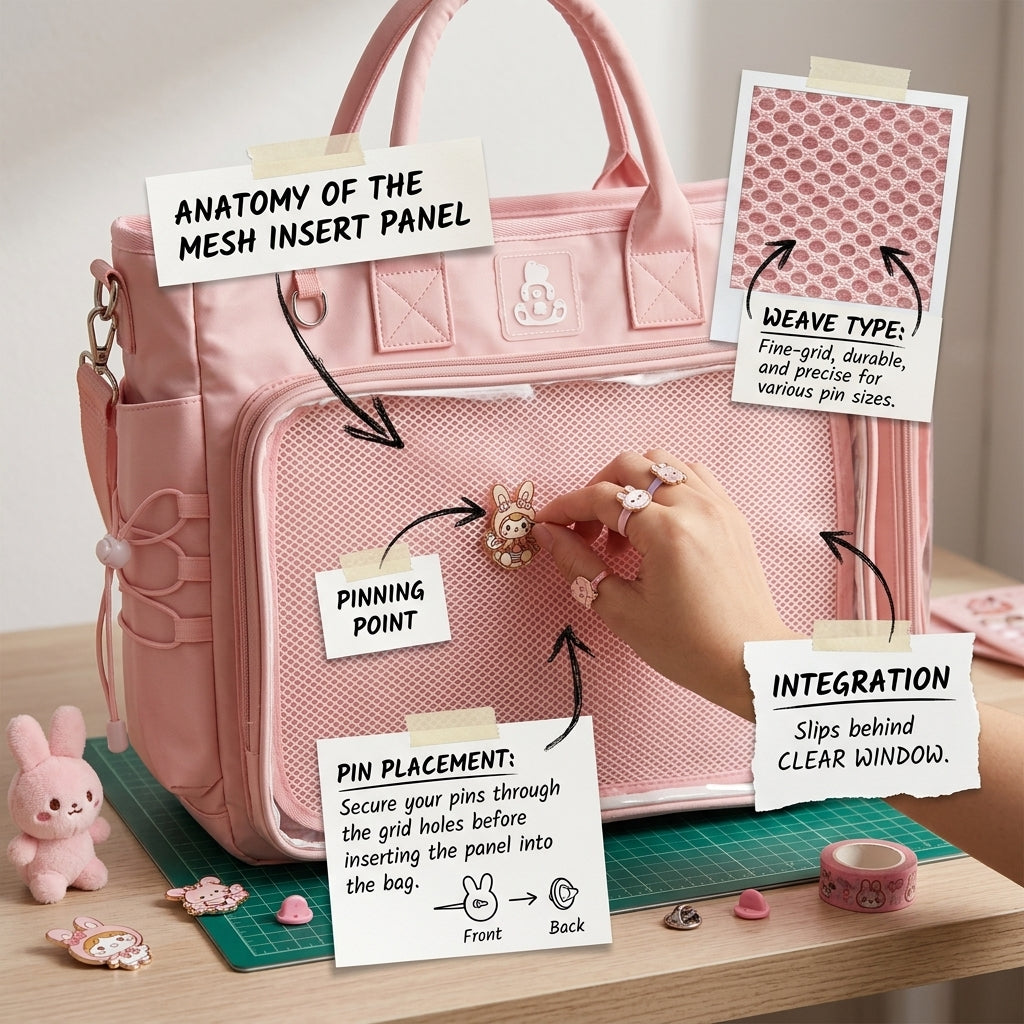
1. Remove the insert from the bag.
2. Plan the layout flat on a table.
3. Attach pins and holders, then check the back for secure hardware.
4. Reinsert the finished panel and test the bag upright for shifting.
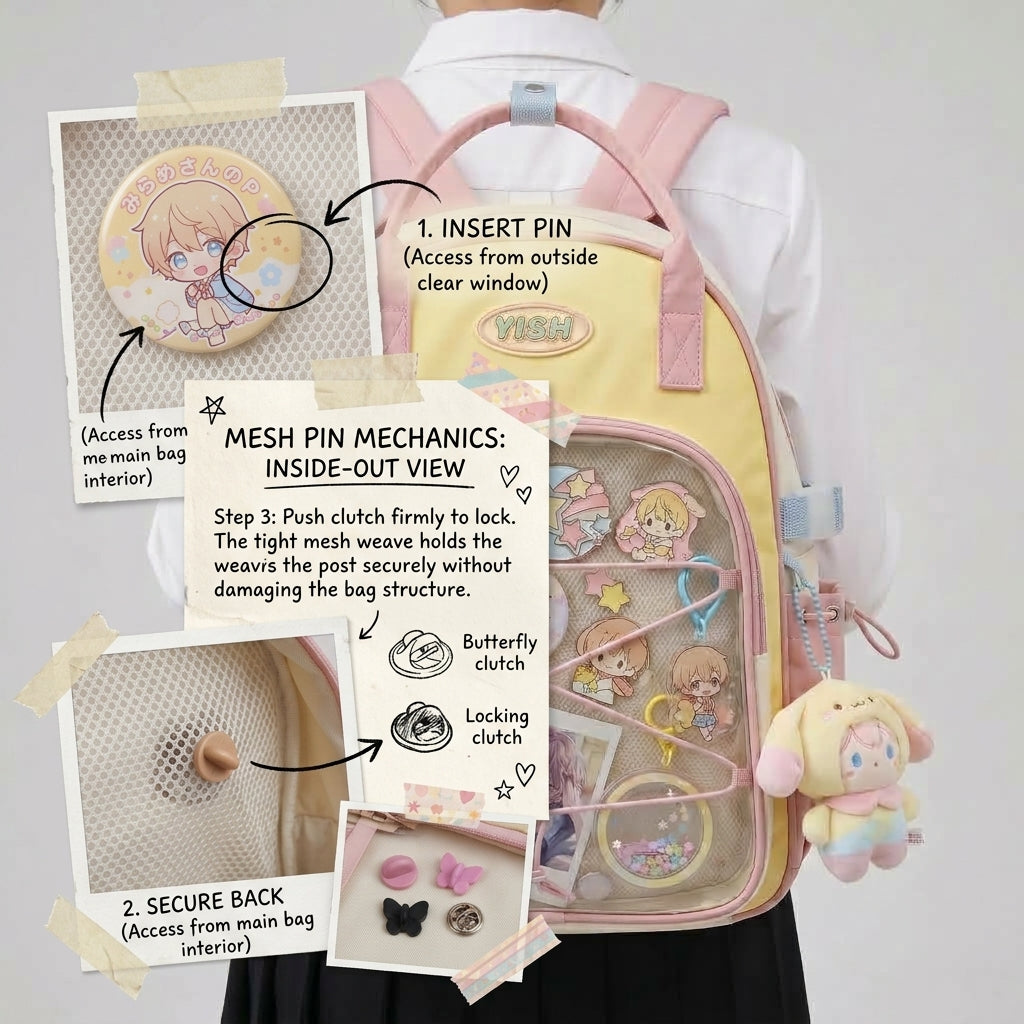
How pins attach to the mesh
Work with the insert outside the bag. Push the pin through the backing, secure it from behind and check that the front stays flat and aligned.
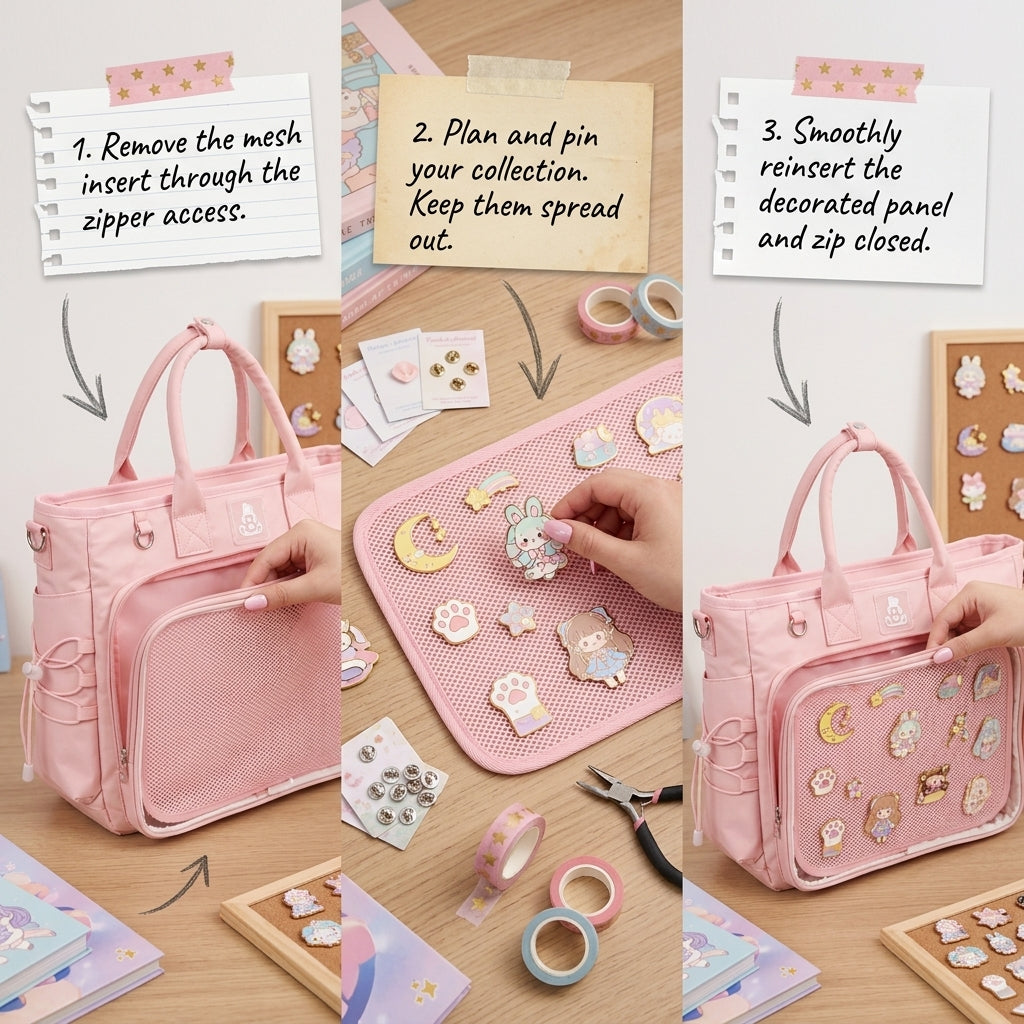
Remove, decorate and reinsert
The removable format makes it easier to build or swap a theme on a flat surface, then return the finished insert behind the clear window.
For more basics, read the ita bag insert guide and how to attach pins safely. Before fastening a dense badge layout, use How to Plan an Ita Bag Layout; if you’re still choosing the bag, compare all OshiHub ita bags by window size and backing style.